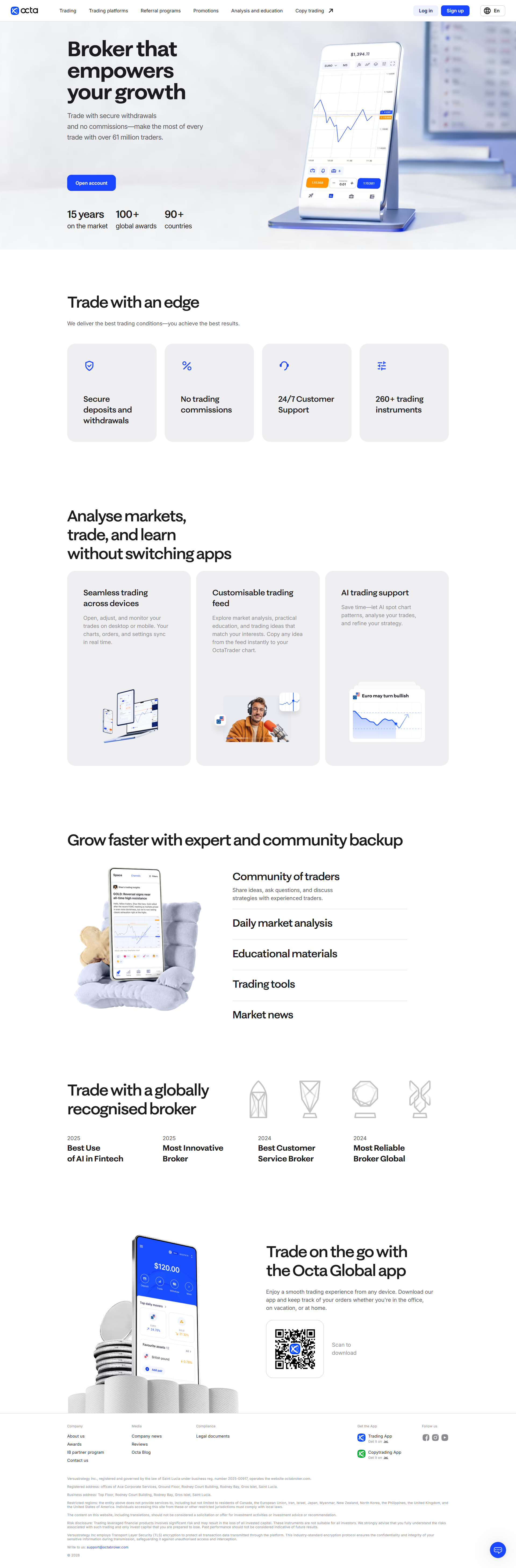
Octa (formerly OctaFX) works as an online Contract for Difference (CFD) and forex broker that connects retail traders to global financial markets through digital trading terminals, a central fund-management Wallet, and automated copy-trading tools.
Rather than buying physical bars of gold, barrels of oil, or actual foreign banknotes, users on Octa speculate on whether the price of an asset will rise or fall. Here is a complete, step-by-step breakdown of how the Octa ecosystem operates behind the scenes, how to set up and use the platform from scratch, and the critical legal and financial risks you must understand before participating—especially if you are accessing the platform from India.
Part 1: Important Regulatory Notice for Users in India
Before exploring how Octa functions, it is essential to understand its legal standing in India:
• RBI Alert List Status: Under the Foreign Exchange Management Act (FEMA), 1999, the Reserve Bank of India (RBI) Alert List explicitly includes OctaFX (Octa) as an entity that is neither authorized to deal in forex nor authorized to operate an Electronic Trading Platform (ETP) in India.
• Legal Forex Rules in India: Resident Indians are only permitted to trade currency derivatives on recognized domestic exchanges (such as NSE and BSE) through SEBI-registered brokers, and primarily in currency pairs involving the Indian Rupee (INR). Remitting funds via Indian bank accounts, UPI, or cards to unauthorized offshore forex platforms carries strict regulatory penalties under FEMA.
The operational guide below explains how Octa works globally in jurisdictions where offshore CFD brokerage is permitted.
Part 2: How Octa Works (The Core Mechanics)
To use Octa effectively, you first need to understand the financial mechanics powering the platform.
1. CFD Trading (Speculating on Price Movements)
Octa operates primarily through Contracts for Difference (CFDs). When you open a trade on EUR/USD, Gold (XAU/USD), Bitcoin, or the S&P 500 index, you do not take ownership of the underlying asset. Instead, you enter a contract with the broker to exchange the difference in the asset's price between the moment you open the trade and the moment you close it:
• Going Long (Buy): If you believe an asset's price will rise, you click Buy. You profit if the price goes up and lose money if it drops.
• Going Short (Sell): If you believe an asset's price will fall, you click Sell. You profit if the price drops and lose money if it rises.
2. How Octa Makes Money (Spreads vs. Commissions)
Octa advertises $0 commission on trades, deposits, and withdrawals. Instead of charging a flat fee per trade, the broker earns revenue primarily through the spread—the tiny difference between the Bid price (the price at which you can sell) and the Ask price (the price at which you can buy).
• On Octa, floating spreads start from around 0.6 pips on major currency pairs. Every time you open a trade, it starts slightly negative by the cost of the spread, meaning the market must move in your favor past the spread before your position enters net profit.
3. Leverage and Margin
Retail traders rarely have $100,000 sitting in cash to buy one standard lot of currency. Octa solves this by offering leverage (ranging from 1:1 up to 1:1000 or 1:2000 on forex/gold depending on your region and platform, and up to 1:200 on crypto).
• How Leverage Works: With 1:500 leverage, a $100 deposit (your margin) allows you to control a $50,000 market position.
• The Double-Edged Sword: While leverage magnifies small price movements into significant profits, it equally magnifies losses. If the market moves against you and your account equity drops to Octa’s Stop-Out level (15%), the system automatically closes your open trades to prevent your balance from dropping below zero (Negative Balance Protection).
4. The Two-Tier Account Architecture
Octa separates your money from your active trades using two distinct compartments:
• The Octa Wallet: A secure central vault inside your Personal Area. Funds sitting in your Wallet are completely insulated from live market volatility and margin calls.
• Trading Accounts: Individual sub-accounts linked to specific trading software. You transfer only the exact amount of money you are willing to risk from your Wallet into a Trading Account.
Part 3: Choosing Your Octa Platform
Octa gives you three different interfaces to interact with the market, all accessible under a single profile:
Platform Best For Key Features & Instruments
OctaTrader Beginners & mobile/web traders Proprietary browser and mobile app; 100+ instruments; built-in Space market analysis feed; AI pattern recognition; seamless sync without extra passwords.
MetaTrader 5 (MT5) Advanced multi-asset traders Industry-standard terminal; 260+ instruments (forex, crypto, indices, commodities, stocks); 21 timeframes; advanced algorithmic trading (Expert Advisors).
MetaTrader 4 (MT4) Traditional forex traders Classic lightweight charting terminal; ideal for custom technical indicators and automated forex bots.
Part 4: Step-by-Step Guide on How to Use Octa
Follow this structured workflow to move from a complete beginner to placing and managing trades safely.
Step 1: Register and Verify Your Profile (KYC)
1. Visit the Octa Official Website or download the official Octa Trading App on iOS or Android.
2. Sign up using your email address (or Google/Apple ID) and create a strong Profile Password.
3. Complete Know Your Customer (KYC) verification before depositing real money. Go to your profile settings and upload a clear photo of a government-issued ID (passport, national ID card, or driver’s license) and proof of address. While you can explore the app without verification, Octa strictly blocks withdrawals on unverified accounts to comply with Anti-Money Laundering (AML) laws.
Step 2: Practice on a Demo Account First
Never risk real money while learning where the buttons are.
1. Inside your dashboard, select Create Account and choose Demo.
2. Pick your preferred platform (OctaTrader or MT5), set your leverage (keep it realistic, like 1:100), and choose a virtual balance (from $5,000 up to $1,000,000).
3. Use this virtual money to practice reading candlestick charts, calculating lot sizes, and testing how fast prices move during major economic news releases.
Step 3: Fund Your Wallet and Transfer to a Trading Account
When you are ready to trade live:
1. Open your Octa Wallet and click Deposit. The standard minimum deposit is $25 (though $100 is recommended for better margin breathing room).
2. Choose an available payment method (cryptocurrency transfers, e-wallets, cards, or supported local bank methods).
3. Once funds arrive in your Wallet, click Internal Transfer to move a portion of that balance into your live trading account. (Tip: Never put 100% of your savings into a single active trading account.)
Step 4: Analyze the Market Using Built-In Tools
Before clicking Buy or Sell, use Octa’s research suite to plan your trade:
• Octa Space: A dynamic feed inside OctaTrader that delivers daily technical analysis, chart pattern alerts, and actionable trade ideas directly onto your screen.
• Economic Calendar: Tracks high-impact global events (such as US Federal Reserve interest rate decisions or Non-Farm Payroll reports) that cause sudden price spikes.
• Trading Calculator: Lets you input your currency pair, lot size, and leverage beforehand so you know the exact pip value and required margin before risking a cent.
Step 5: Execute and Manage a Trade
1. Select an Instrument: Search for an asset like EUR/USD or XAU/USD (Gold).
2. Set Your Volume (Lot Size): Choose how large your position will be. The minimum is 0.01 lots (a micro-lot, where 1 pip movement equals roughly $0.10 on EUR/USD).
3. Choose Order Type:
• Market Execution: Opens your trade immediately at the current live price.
• Pending Order (Limit/Stop): Instructs the platform to open your trade automatically only if the price reaches a specific target level in the future.
4. Set Stop Loss (SL) and Take Profit (TP): This is the most critical habit in trading.
• Stop Loss: An automatic exit price that closes your trade at a small, pre-calculated loss if the market moves against you, protecting your account from total wipeout.
• Take Profit: An automatic exit price that locks in your gains once the market hits your target.
5. Monitor and Close: Track your open position in the Trades tab. You can close the entire trade manually at any time or close half of it to secure partial profits.
Part 5: Using Octa Copy Trading (Passive Alternative)
If you do not have the time to analyze charts manually, Octa offers a dedicated Octa Copy Trading ecosystem (available via web and the standalone Octa Copy app):
1. Browse Master Traders: Filter experienced traders by their historical gain percentage, risk score, maximum drawdown (largest peak-to-trough loss), number of copiers, and commission rate.
2. Allocate Funds: Select a Master Trader, choose how much money from your Wallet you want to allocate to them, and set your copying proportion (e.g., copying trades at 1x or 0.5x scale).
3. Automated Execution: Whenever the Master Trader opens or closes a trade, your account automatically mirrors that exact trade proportionally in real time.
4. Profit Sharing & Control: If the Master Trader makes you a profit, a pre-agreed percentage (their commission) is automatically paid to them; if they lose money, they earn no commission. You retain full control to pause copying, set a equity stop-loss limit, or withdraw your remaining funds at any moment.
Key Risk Management Rules for Beginners
• Risk Only 1% to 2% Per Trade: If you have $200 in your trading account, set your Stop Loss so that a losing trade costs no more than $2 to $4.
• Watch Out for Inactivity Fees: While Octa charges no commissions on active trading, leaving an account completely inactive can trigger a $5 monthly inactivity fee.
• Beware of Deposit Bonuses: Octa frequently offers up to a 50% deposit bonus. Remember that bonus funds cannot be withdrawn immediately—you must first trade a specific volume of standard lots before the bonus converts into withdrawable cash.

Offline Website Builder